How it works
Add services as cards, preview how buyers see you, check listing status, optionally Promote your Find & Hire place, and reply to service enquiries from your inbox.
-
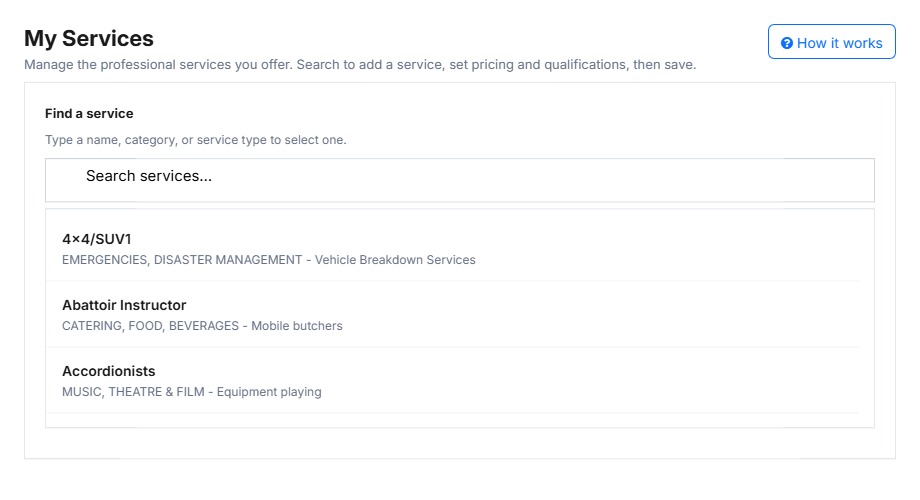 Cards & Add
- Open My Services to see your offers as service cards.
- Click Add service, search by name, category, or type, then pick one.
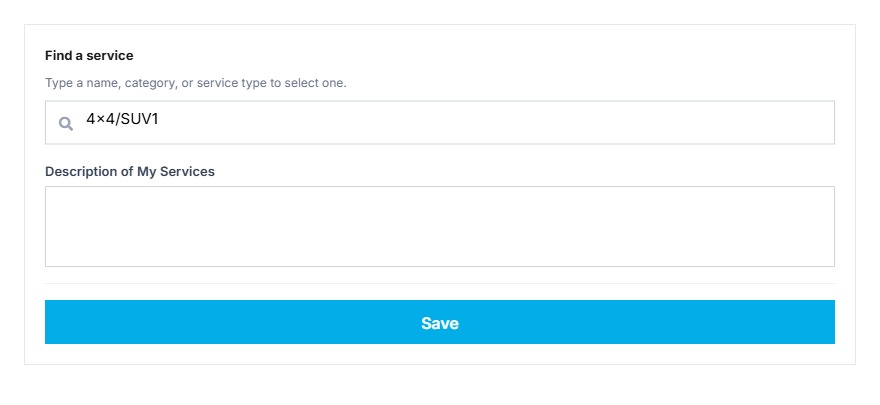
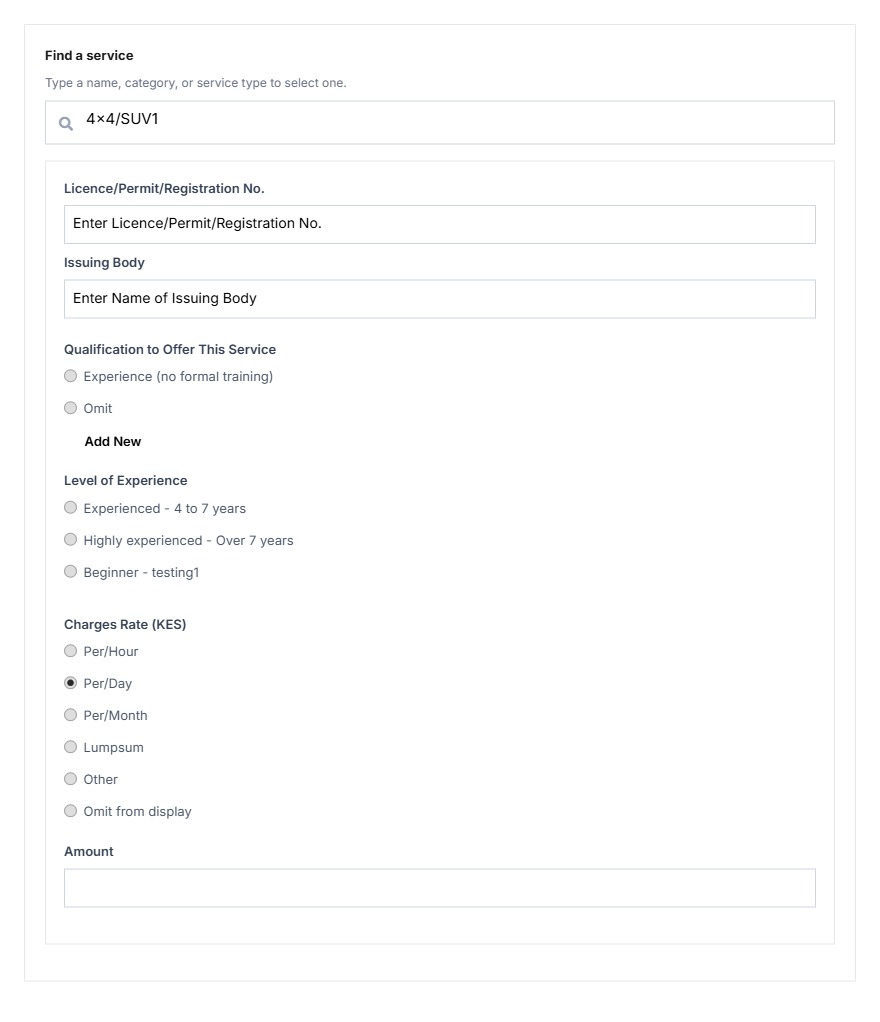
- Set price, charge type, qualification, and experience, then Save.
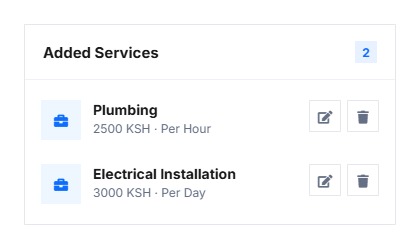
- Use card actions to Edit or Delete a saved service.
-
 Preview & status
- Check the buyer preview chips to see which services appear on your listing.
- The status panel shows if you are incomplete, awaiting approval, or listed on Find & Hire.
- Use View listing to open your public Find & Hire profile.
- Keep Availability up to date from your profile when you are Available Now.
-
 Promote
- Standard visibility stays free after your profile is approved for Find & Hire.
- Optional Promote Find & Hire listing membership boosts your place in search and shows a Sponsored badge.
- When active, My Services shows Active until from your membership end date.
- Use the cost preview / Upgrade to Promote link to open Membership.
-
 Enquiries & badge
- Buyers can Enquire / contact from your Find & Hire profile.
- Open Enquiries (or account menu Service enquiries) to read, reply, close, or reopen.
- You get a notification and email on new enquiries; unread counts show as a red badge.
- Filter by status or service, sort newest/oldest, and use Load more on long lists.
At least one saved service is required for Find & Hire listing and profile completeness. Promote is optional membership; standard listing stays free after approval.