How it works
Compare membership plans by audience, upgrade with M-Pesa, confirm payment, then track your active plan and upgrades in one place.
-
 Browse
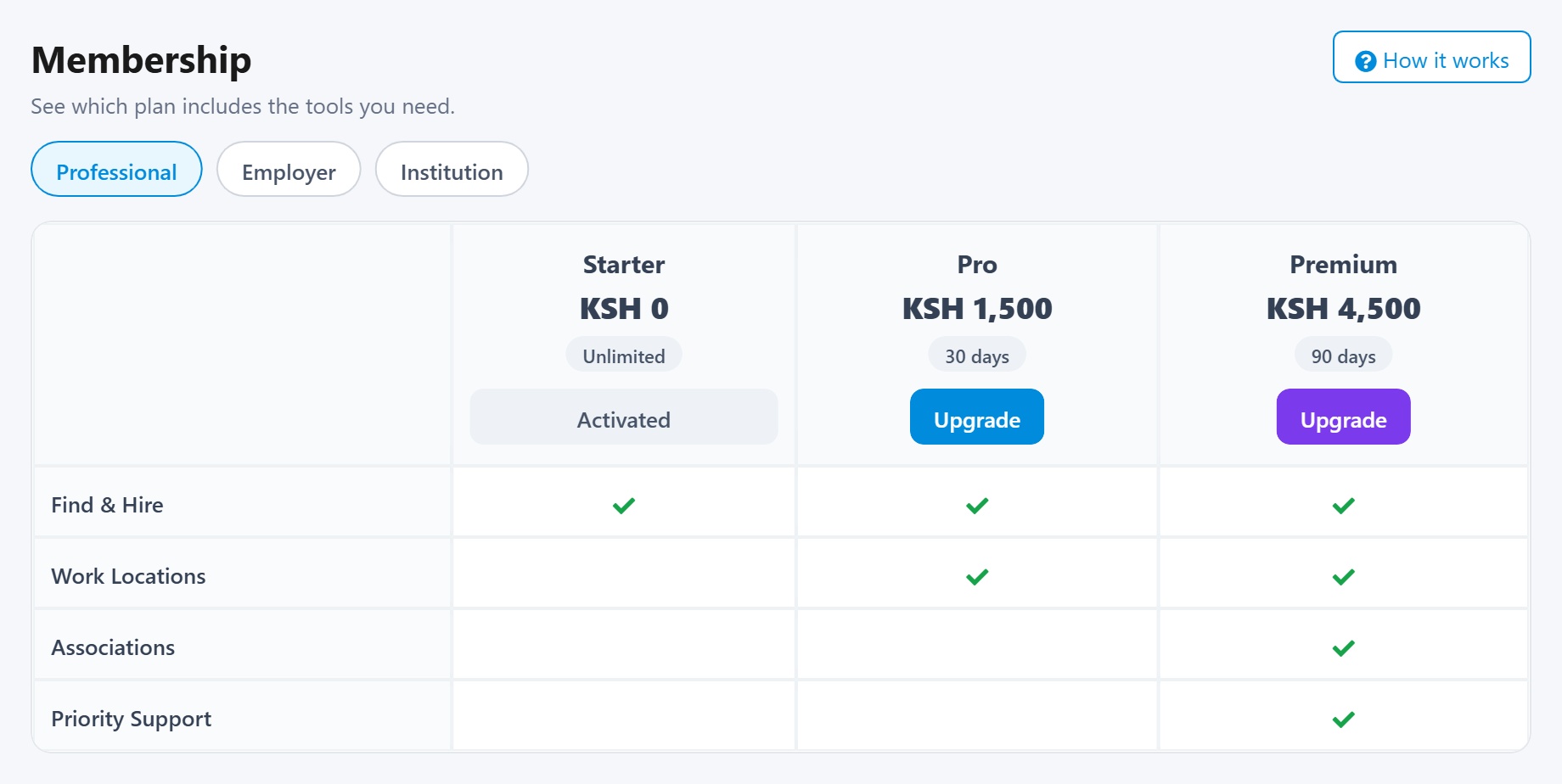
- Open Membership to see plans and included tools.
- Switch audience tabs such as Professional, Employer, Institution, or Affiliate.
- Compare prices, durations, and feature checkmarks across plans.
-
 Request
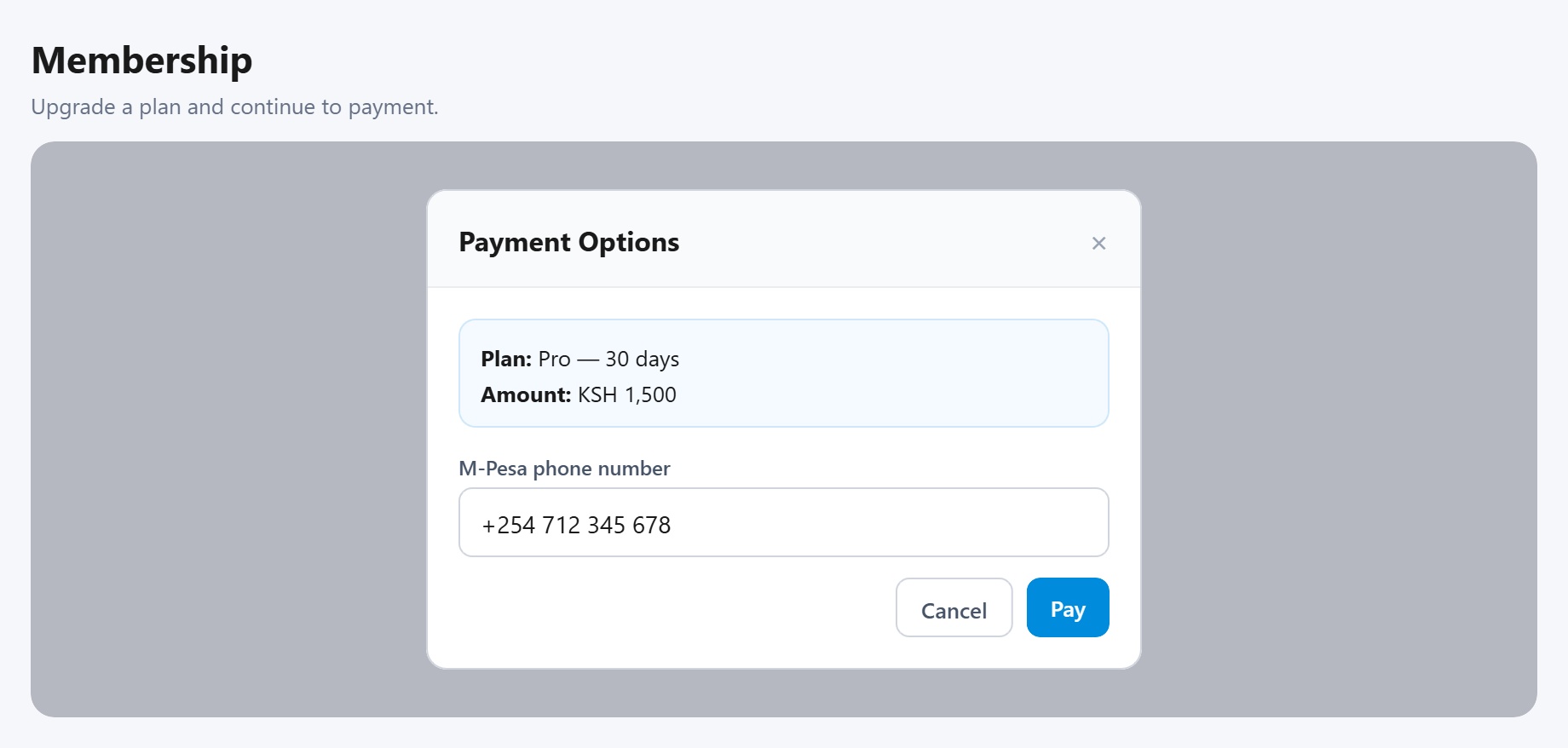
- Pick a duration tier when available, then click Upgrade (or Change plan).
- Guests continue to Checkout to log in or register first.
- Signed-in users open the payment step and enter an M-Pesa phone number.
-
 Approval
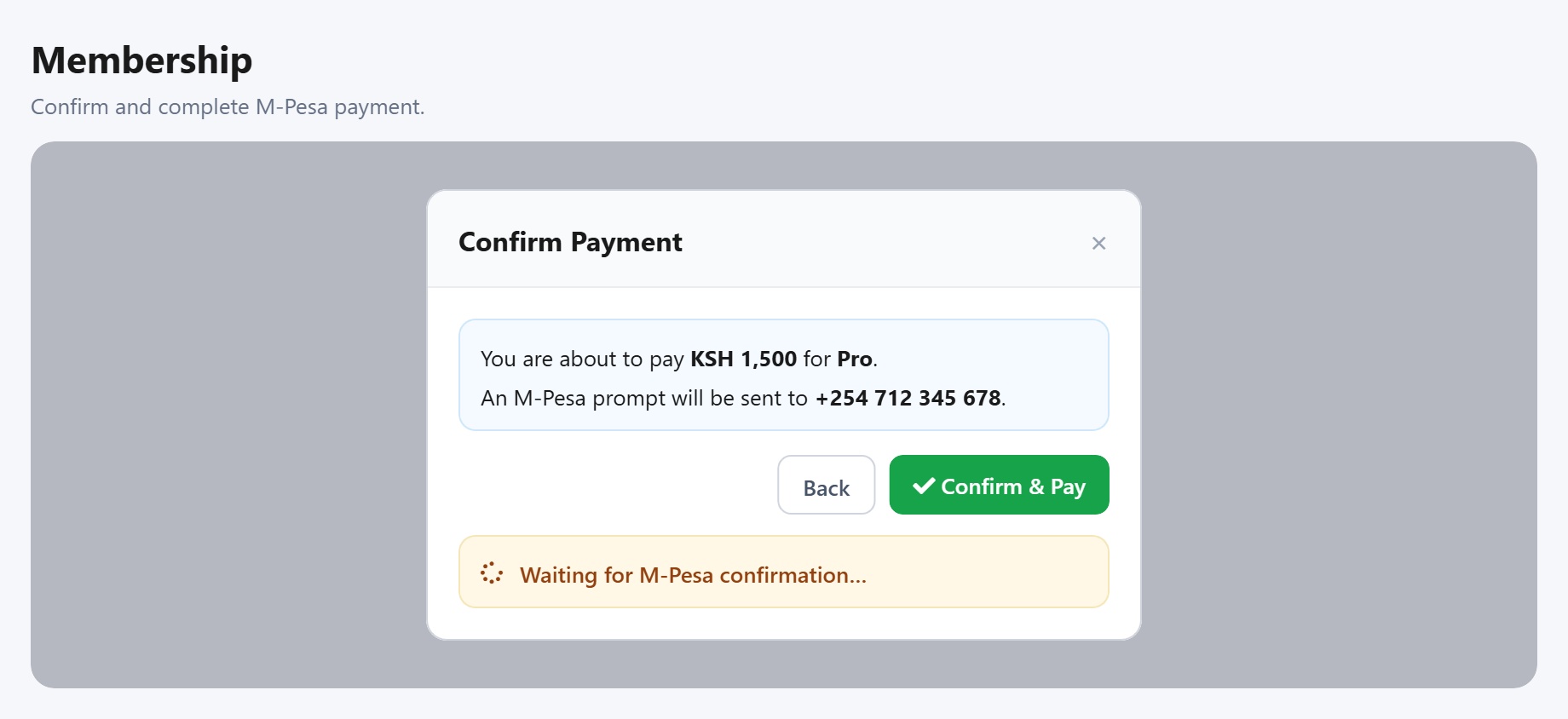
- Confirm the amount in the Confirm Payment dialog, then tap Pay.
- Complete the M-Pesa prompt on your phone while Yakazi waits for confirmation.
- When payment succeeds, the plan activates and the Membership page refreshes.
-
 Manage
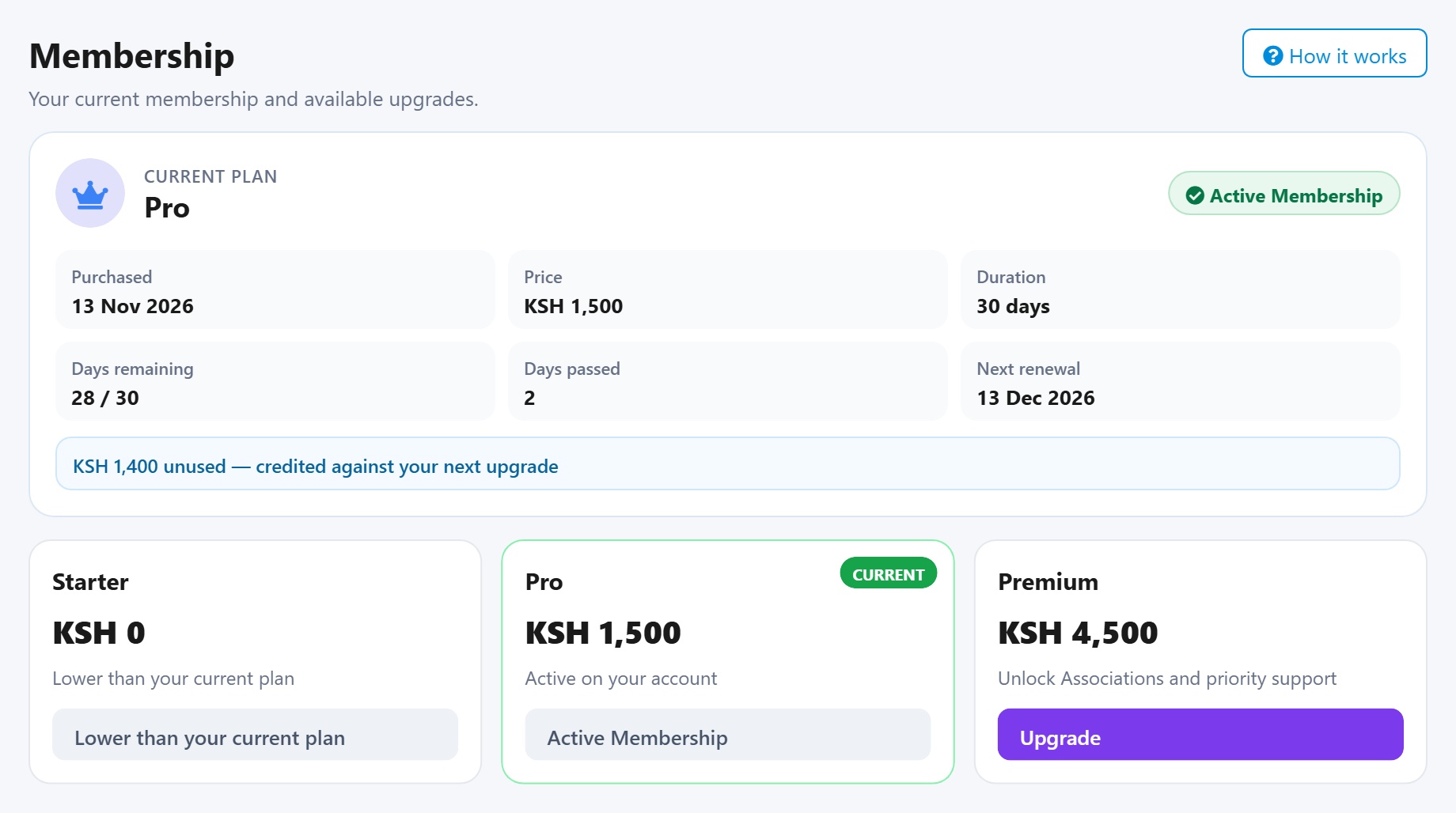
- Your Current plan card shows purchase date, price, duration, and days remaining.
- Upgrade again anytime; unused value is credited against the next purchase.
- The active plan shows Active Membership; lower plans stay unavailable while yours is higher.
Some features across Yakazi require a paid membership. Use Upgrade from this page whenever a tool asks you to unlock access.
Benefits
Paid membership unlocks tools on the comparison table for your audience. Higher plans include more features; unused value is credited when you upgrade again.
-
Unlock more tools
Gain access to features such as Work Locations, Associations, Find & Hire, and other menus checked on your plan.
-
Plans by audience
Choose Professional, Employer, Institution, or Affiliate so you only compare plans built for how you work.
-
Upgrade credit
Unused days on your current plan are valued and credited against the next upgrade, so you do not lose what you already paid.
-
Clear plan status
See purchase date, days remaining, next renewal, and Active Membership status on one card after payment succeeds.