How it works
Track hire requests and confirmed tool orders in one place. Check status, open details, and follow deals through to payment.
-
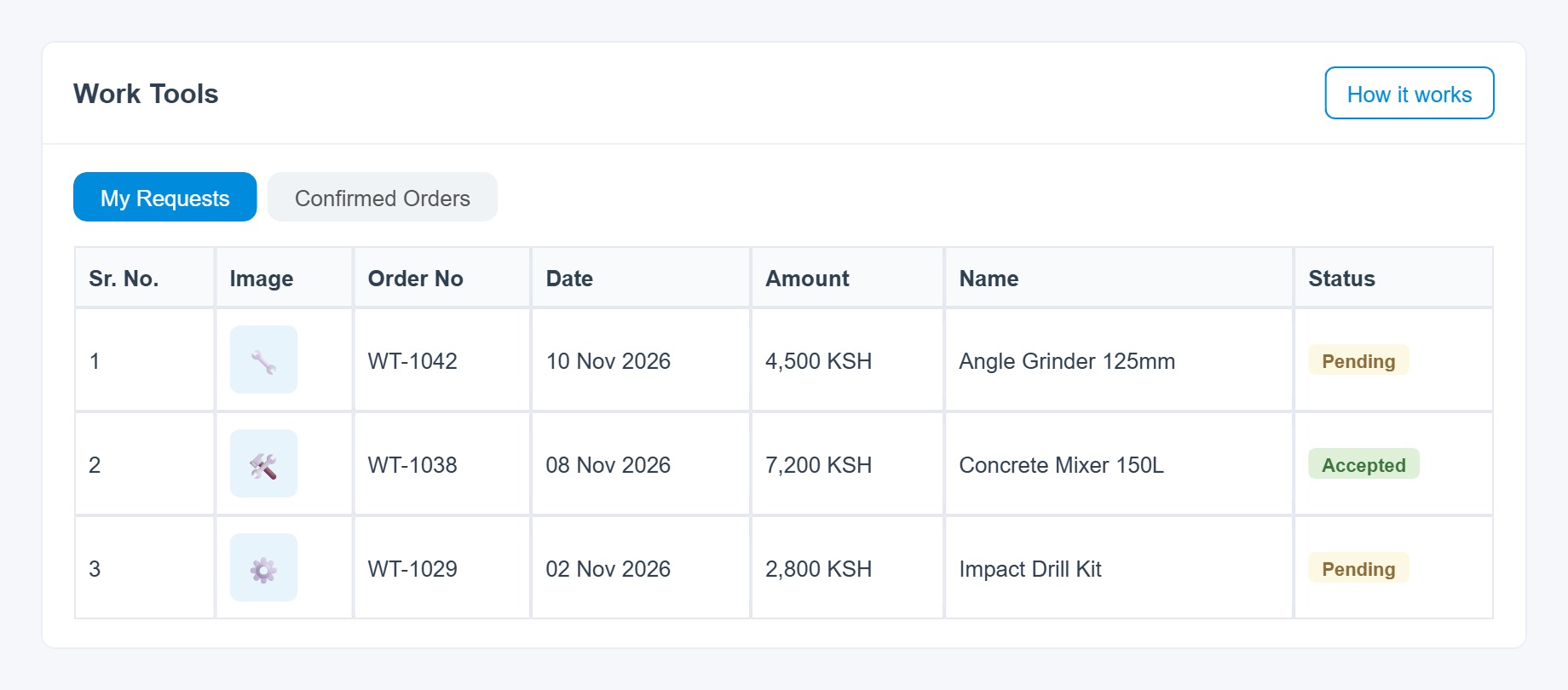 Browse
- Open Work Tools - My Orders from your profile menu.
- Use the My Requests and Confirmed Orders tabs.
- Scan Order No, Date, Amount, Name, and Status in the list.
-
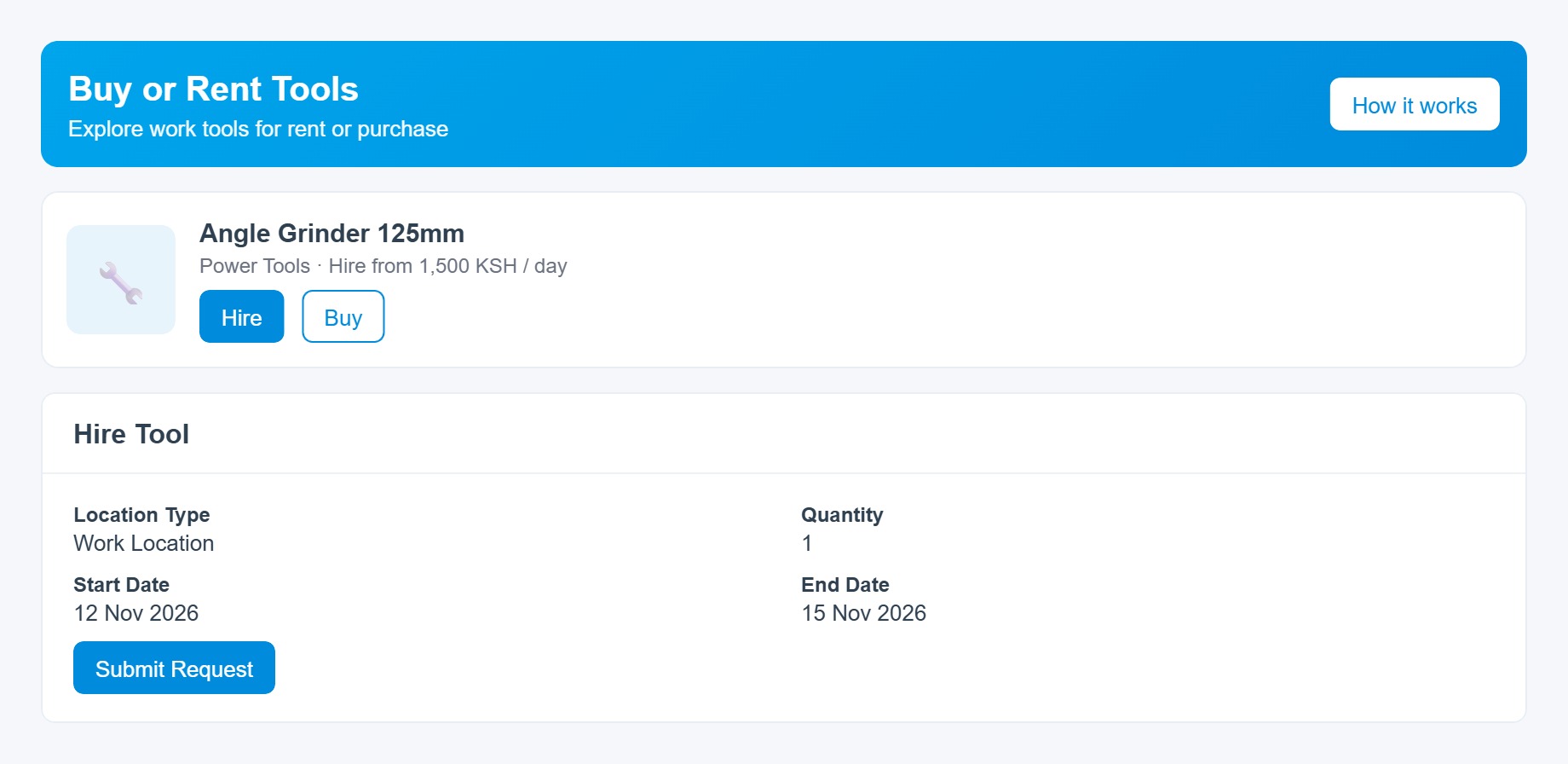 Request
- Submit a hire from Buy or Rent Tools first.
- New submissions appear under My Requests.
- Open a row to view Tool Request Details.
-
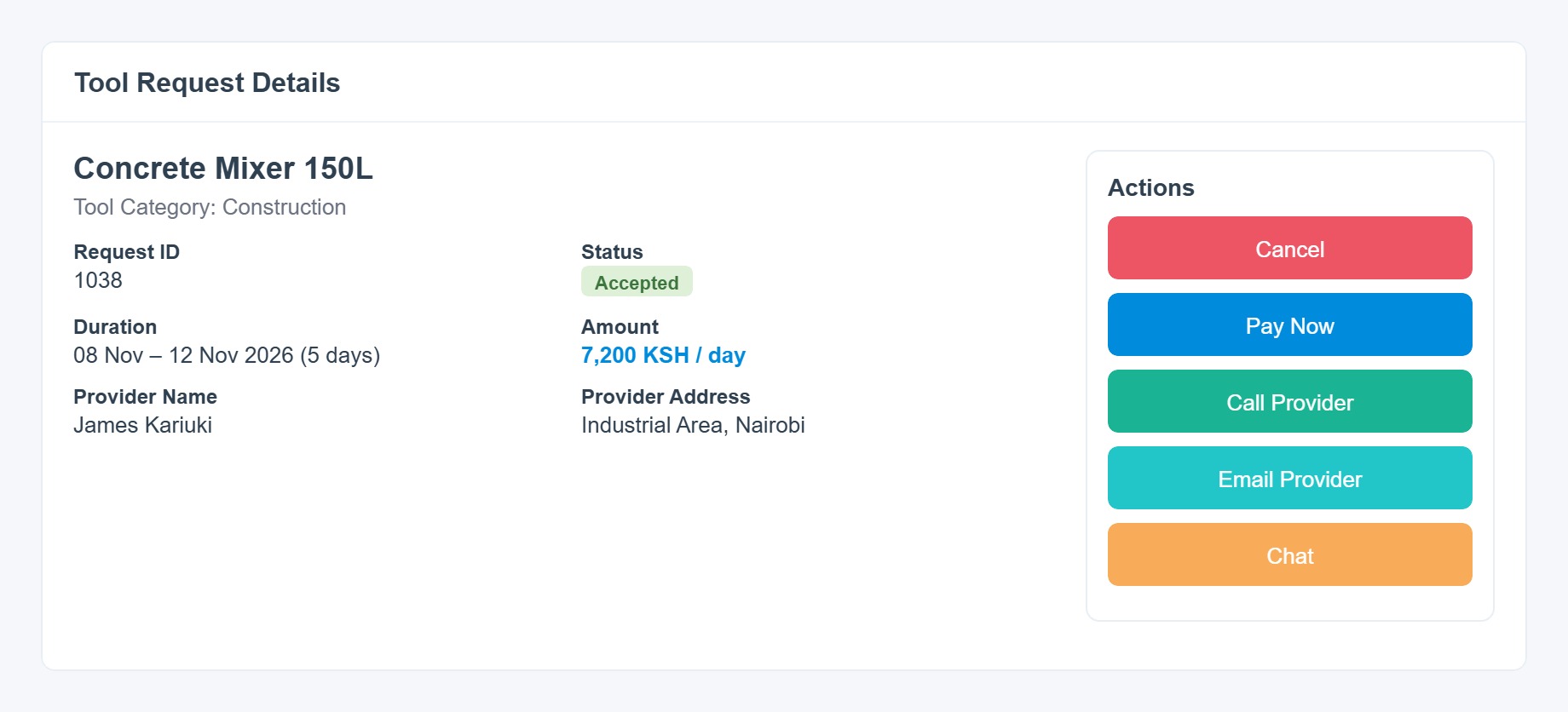 Approval
- Status stays Pending until the tool provider accepts.
- When Accepted, use Pay Now, Cancel, Call, Email, or Chat.
- You are notified when a request is updated.
-
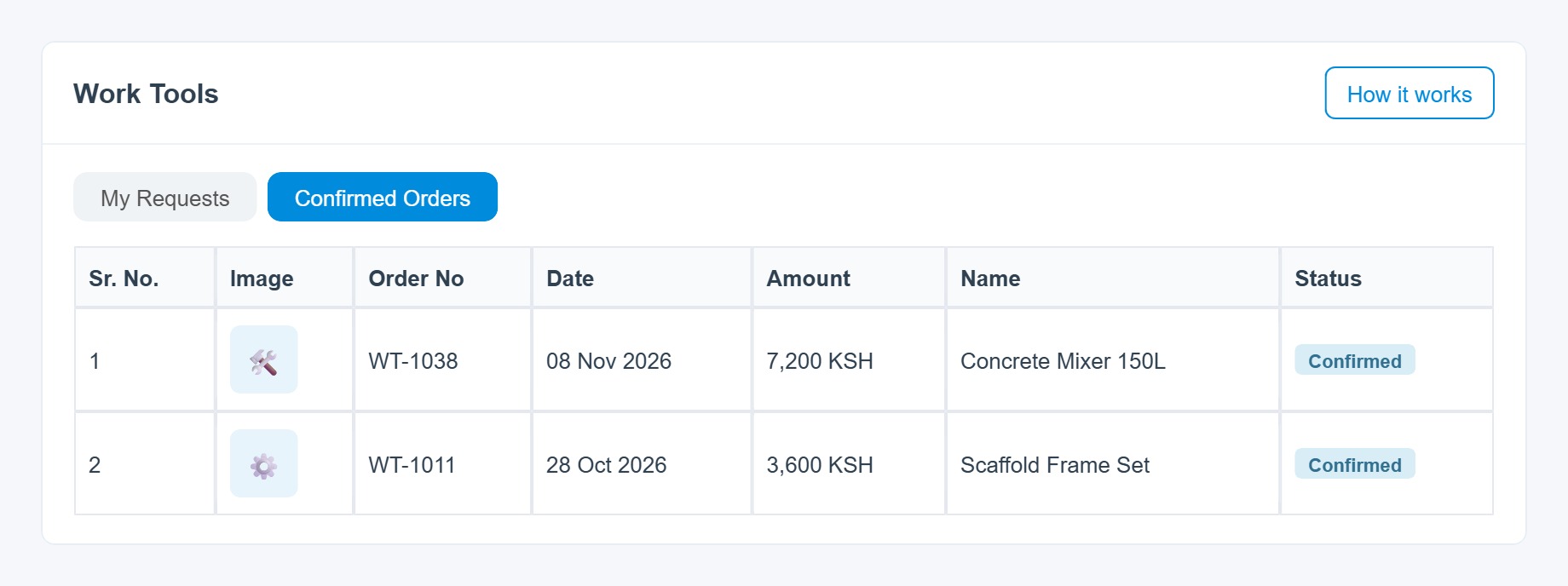 Manage
- Switch to Confirmed Orders for approved deals.
- Open confirmed order details to follow payment and completion.
- Return anytime to check status across both tabs.
Hire requests are created from Buy or Rent Tools. This page is where you track and manage those orders.