How it works
Browse shortlisted and referred jobs, show interest or decline, negotiate salary and quotations, then manage hired work with site reports.
-
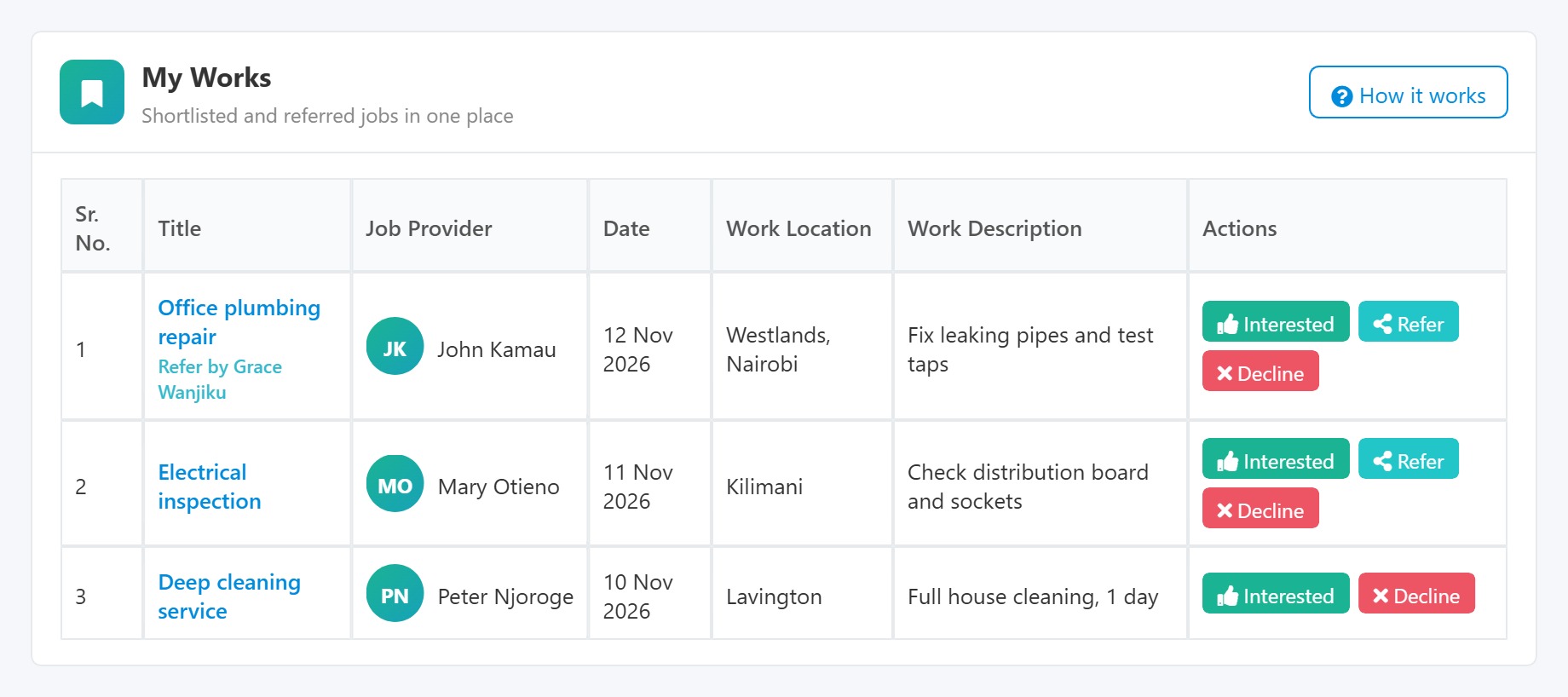 Browse
- Open My Works to see shortlisted and referred jobs in one list.
- Scan title, job provider, date, work location, and description.
- Click a job title to open the detail page when you need more context.
-
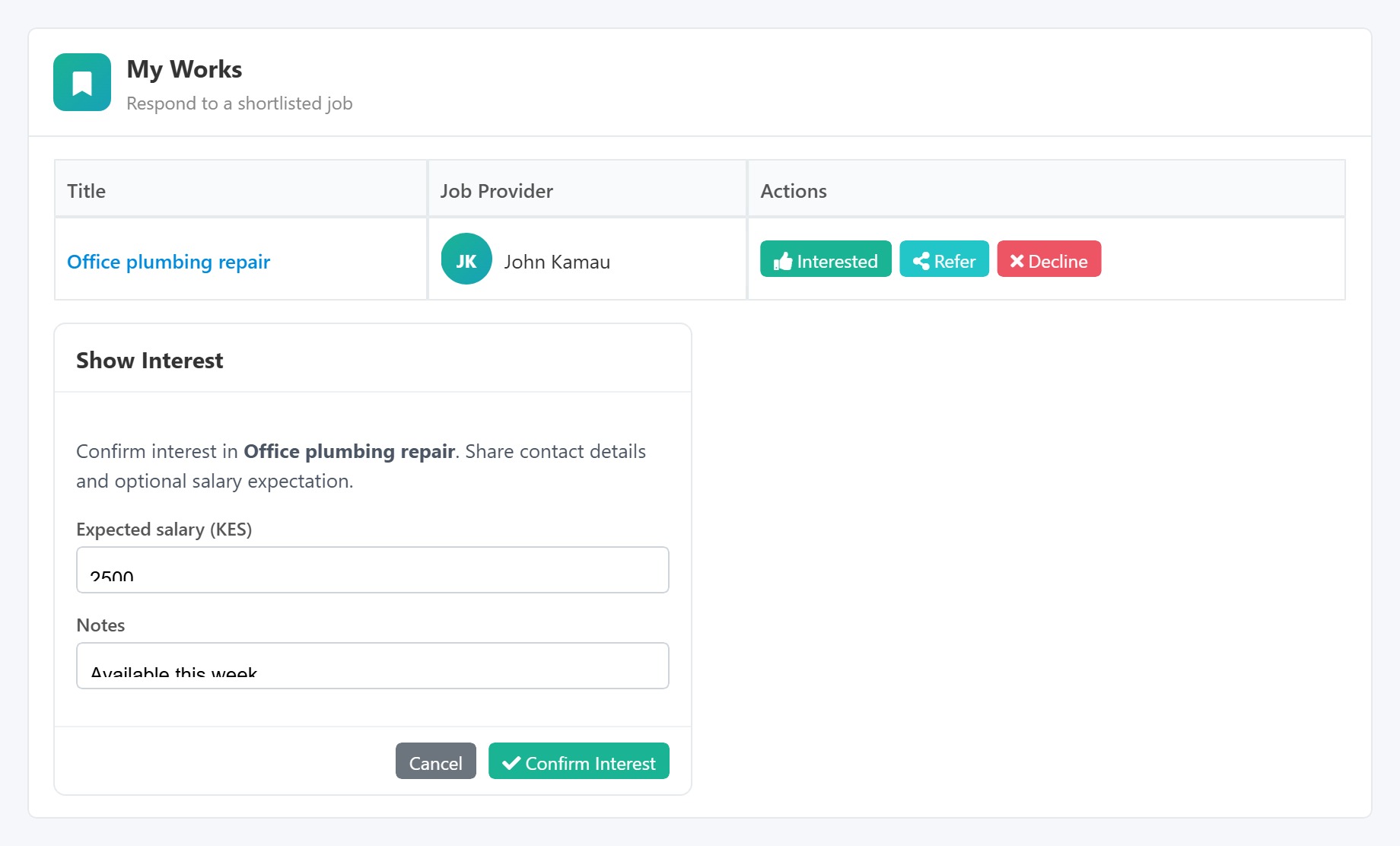 Request
- Click Interested to respond; add salary or quotation details when the modal asks.
- Use Refer to share the job with someone in your network.
- Choose Decline and pick a reason if the work is not a fit.
-
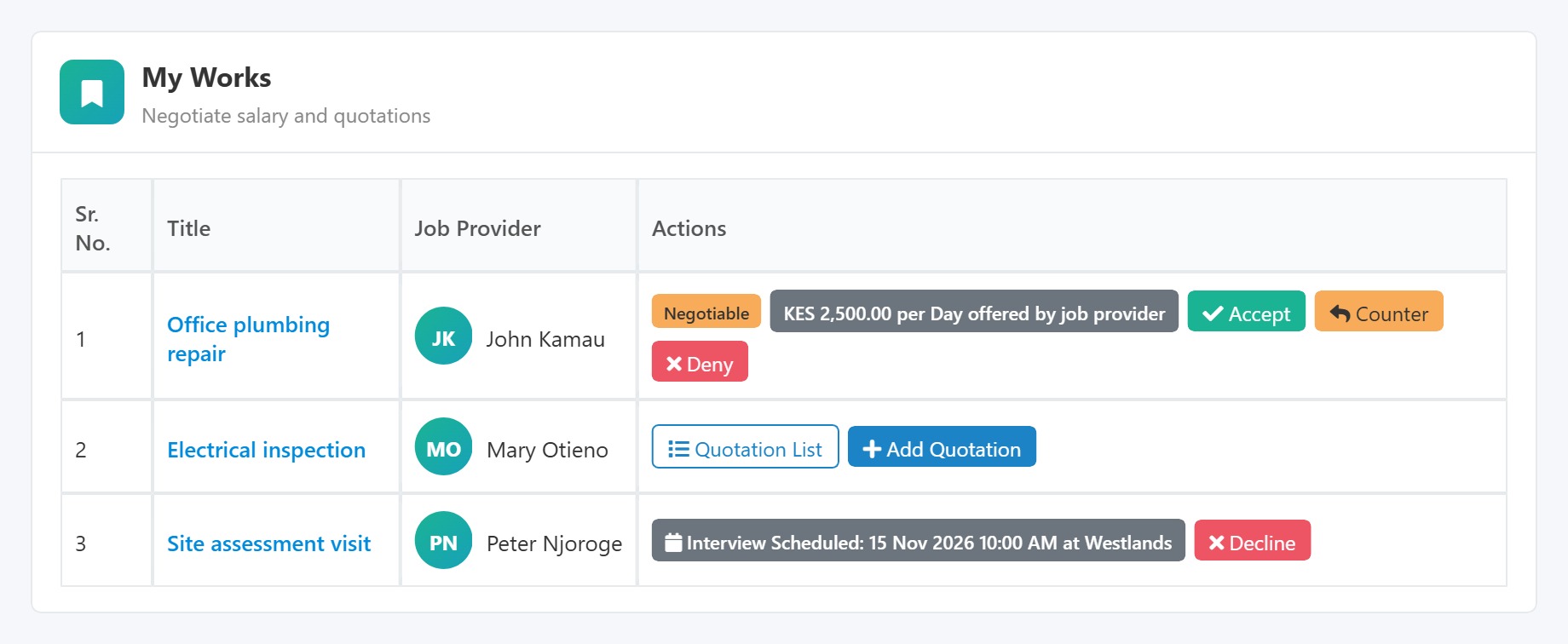 Approval
- Accept, Deny, or Counter salary offers from the job provider.
- Add quotations or open Quotation List when equipment, materials, or tools apply.
- Track Interview Scheduled details, then wait for the employer to hire you.
-
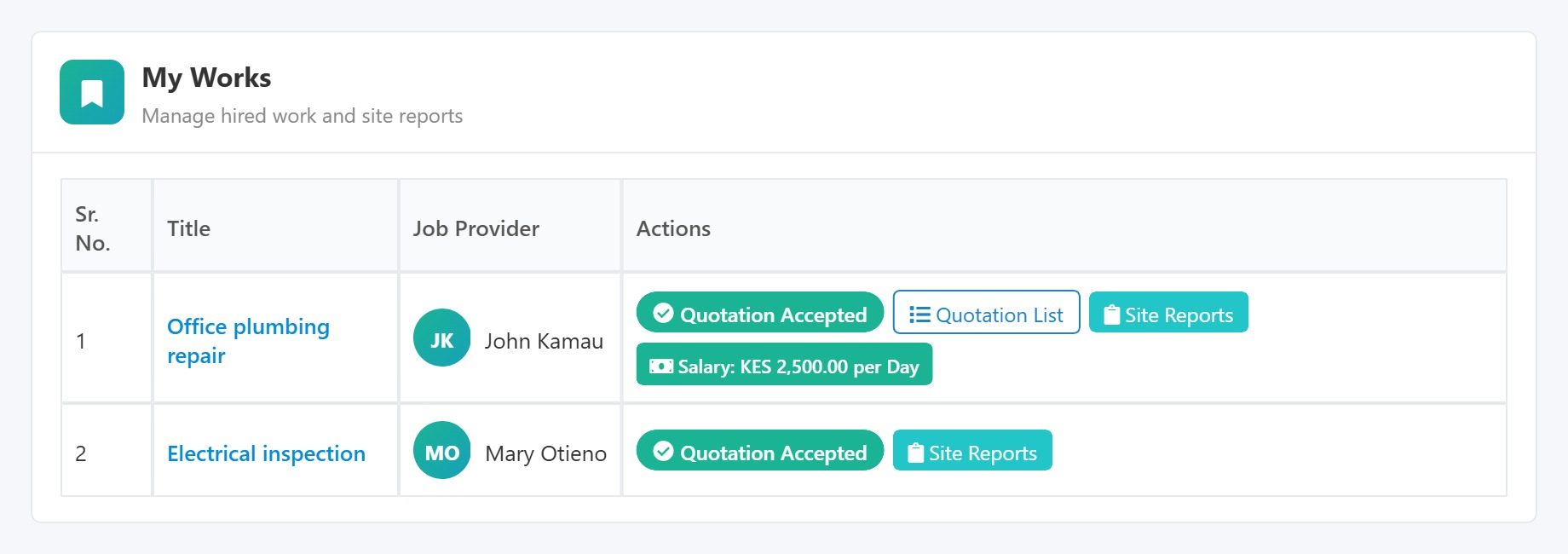 Manage
- Hired rows show Quotation Accepted with your agreed pay.
- Open Site Reports to submit or review work progress.
- Use Quotation List and job detail to keep ongoing work organised.
Jobs marked Refer by show who shared the shortlist with you. Respond promptly so employers can move you to hire. To track Find Jobs advert applications and status, use My Applications.