How it works
Browse verified professionals, shortlist or hire now, review responses on Work Offers, then manage ongoing and completed work.
-
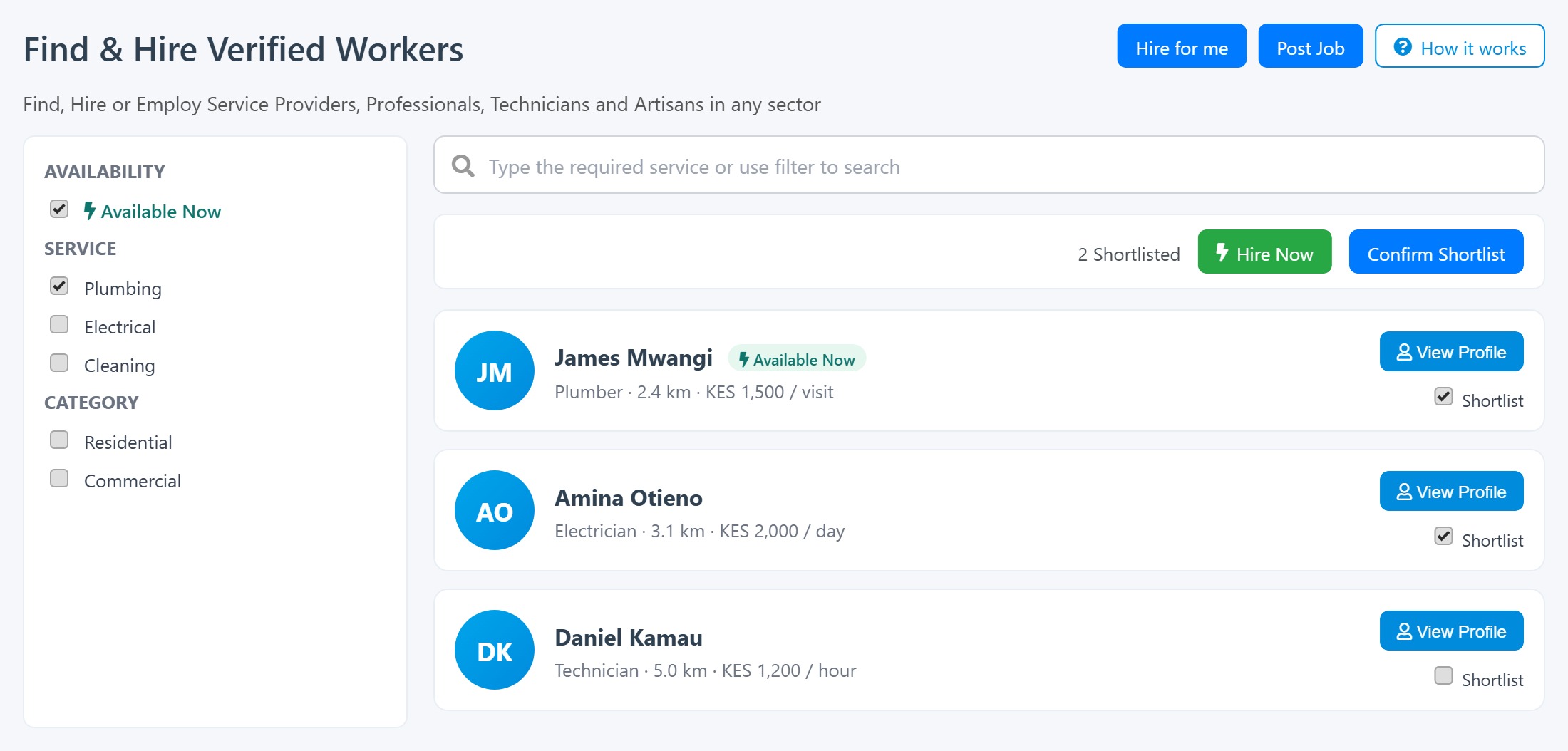 Browse
- Open Find & Hire to see verified workers near you.
- Filter by Service, location, or Available Now.
- Click View Profile or tick Shortlist on a card.
-
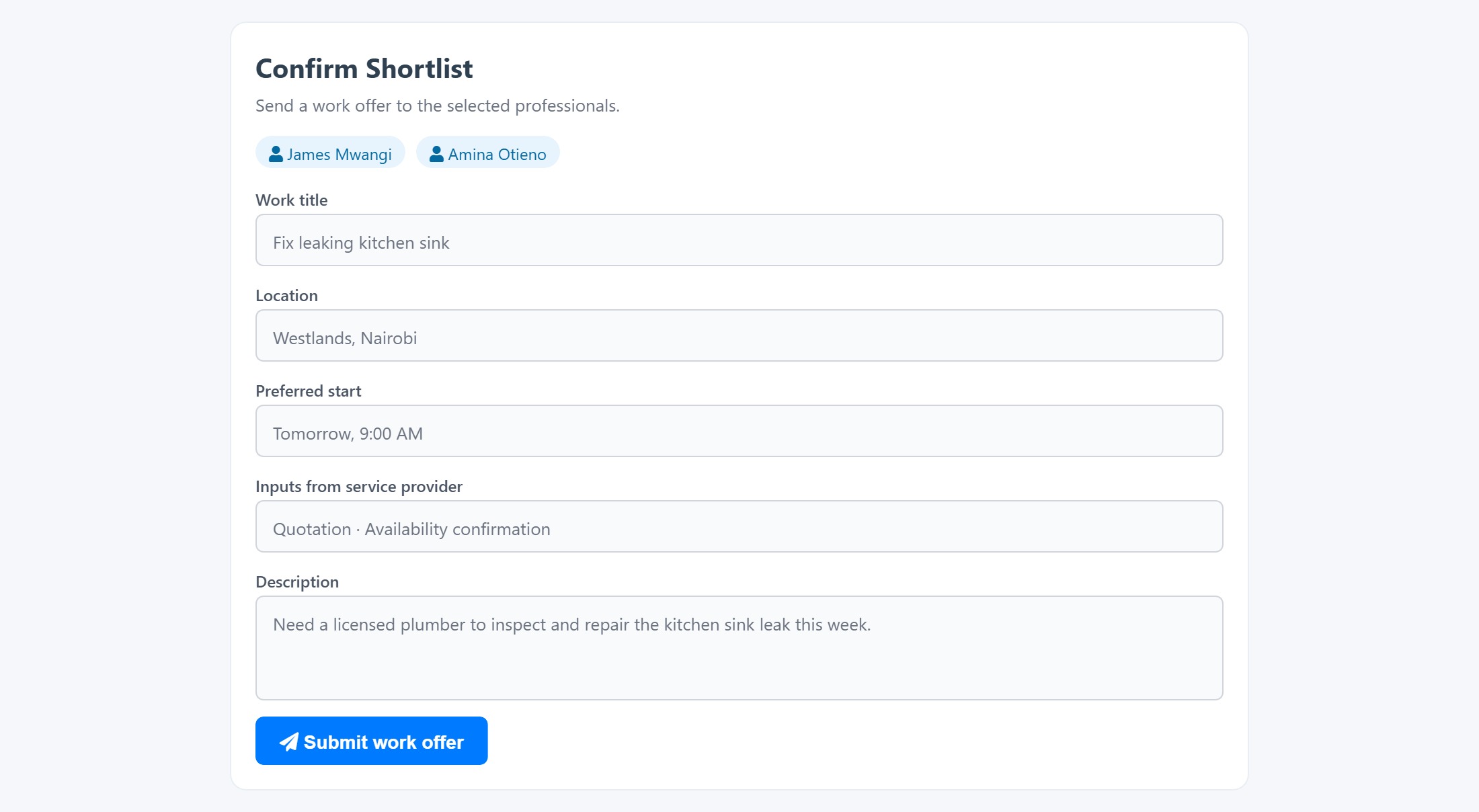 Request
- Click Confirm Shortlist, or Hire Now for Available Now professionals.
- Fill the hire form with work details, location, and preferred inputs.
- Submit to send a work offer to the selected professionals.
-
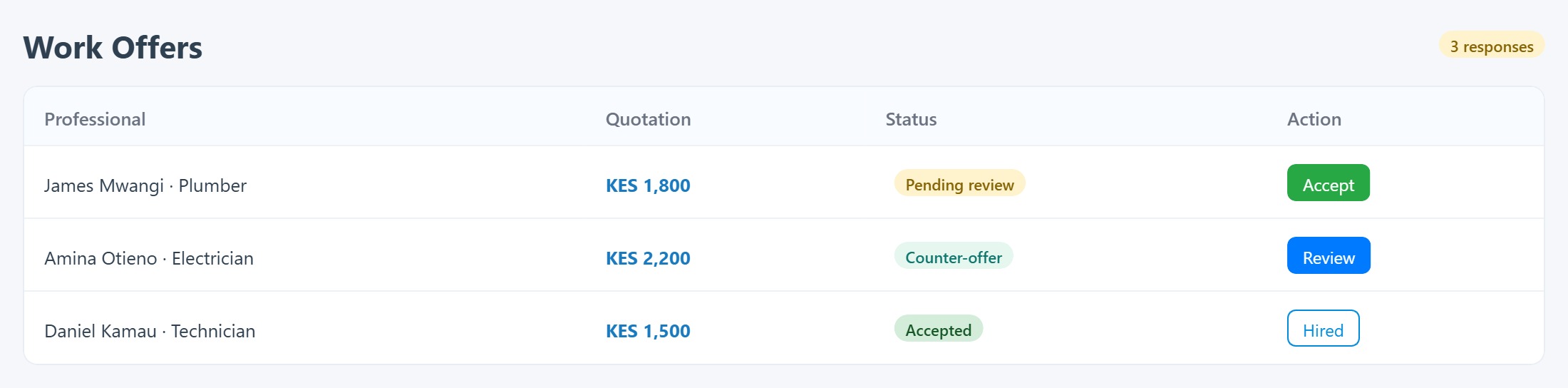 Approval
- Open Work Offers to see professional responses.
- Review quotations and counter-offers from each provider.
- Accept a quotation to hire, or reject responses you do not need.
-
 Manage
- Use My Find & Hire History to track all engagements.
- Follow Work Ongoing, Completed, and Cancelled status.
- Track admin-managed Hire Requests after you submit Hire for me.
-
Hire for me
- Choose Home, Business, Organisation or Project, then one-off or ongoing work.
- Add service, requirements, area, preferred start, and support (recruitment, placement or ongoing management).
- Enter an exact address only when needed — a saved work location is not required to start.
- Review, verify phone or sign in, submit, then follow progress with your request reference.
You can explore Hire for me before signing in; verification is required to submit. Shortlist and Hire Now still need login. Available Now professionals can be hired immediately with Hire Now.